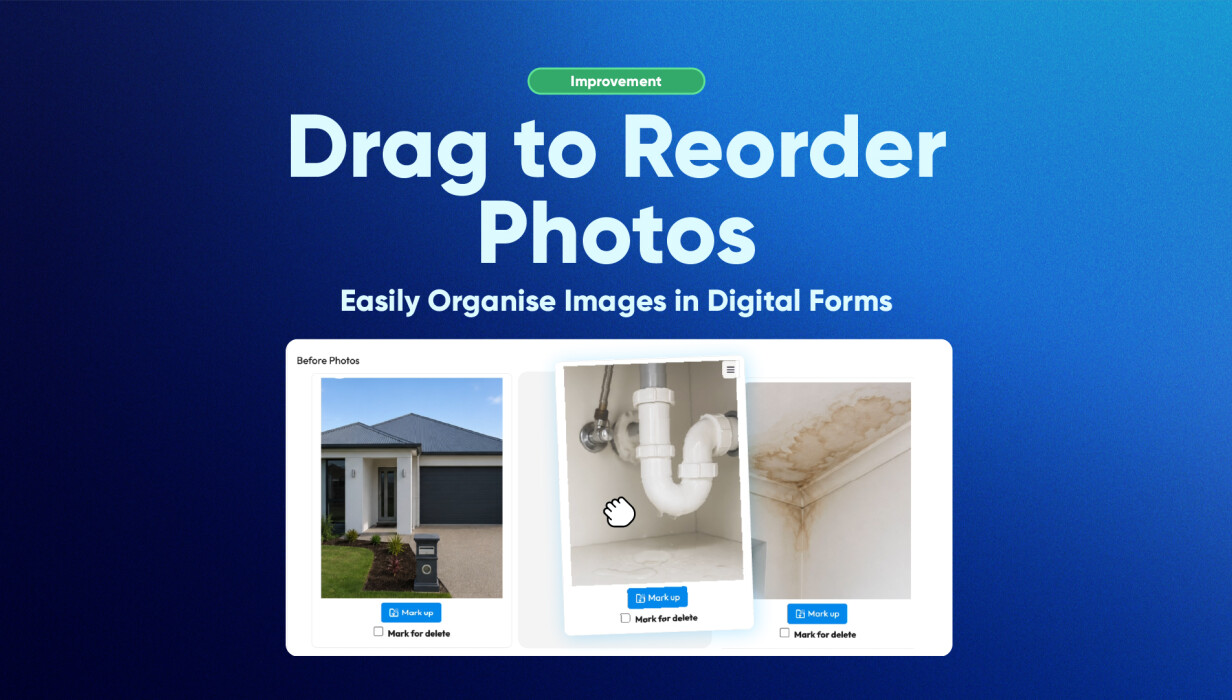
Photo order matters more than it sounds. A report where images run out of sequence is harder to read, harder to hand to a client, and harder to stand behind in a compliance context.
The new drag-to-reorder feature fixes a genuinely annoying problem. Previously, if photos came through in the wrong order, you had to delete them and start again. Now you can move them around directly in the web portal, within a photo field or between different fields on the same form.
Click, drag, done.
It works across inspections, service reports, audits, and compliance documentation. Sort the sequence before you finalise, not after.
How Customers Use This in Practice
The ability to reorder photos has practical benefits across many industries and workflows.
Inspection Reports
Inspectors can arrange photos in chronological order to clearly demonstrate findings throughout a property, site, or asset inspection.
Field Service Documentation
Technicians can organise before-and-after images to provide customers with a clear visual record of completed work.
Compliance and Audit Reporting
Teams can group supporting images alongside relevant sections of a report, making documentation easier to review and understand.
Office-Based Report Review
Administrative staff reviewing forms through the web portal can quickly adjust image placement before reports are finalised and distributed.
Why This Matters for Growing Teams
The bigger the team, the more report quality varies. Someone uploads photos out of order, doesn't notice, and the client gets a document that's hard to follow. Fixing it used to mean deleting and re-uploading. Now it's a drag.
Less time cleaning up reports means more time on the actual work.
This update supports:
-
Faster report preparation
-
Improved document consistency
-
Reduced rework and administrative effort
-
Better presentation of evidence and findings
-
Greater confidence when sharing reports with customers
By simplifying photo management within forms, teams can spend less time editing reports and more time focusing on operational work.
Frequently Asked Questions
Can I reorder photos after they have been uploaded?
Yes. Photos can be moved and rearranged while editing the form in the Web Portal.
Can I move photos between different photo fields?
Yes. Images can be dragged from one photo field to another within the same form.
Do I need to delete photos to change their order?
No. The drag-and-drop functionality allows you to reposition photos without removing or re-uploading them.
Will this affect the quality of my photos?
No. The feature only changes the placement of photos within the form. The image files remain unchanged.
Is this useful for inspection reports and service reports?
Absolutely. Many users rely on photo chronology and visual storytelling within reports, making image organisation an important part of documentation.
Does this work when completing forms through the web portal?
Yes. The feature is particularly useful for users who review, edit, and finalise forms through the web portal.
Why Better Photo Organisation Matters
Clear photo organisation plays an important role in creating professional reports, inspections, and service documentation. With Drag to Reorder Photos, users can easily adjust image placement without interrupting their workflow or re-uploading files.
The result is greater flexibility, improved report presentation, and a smoother experience when working with digital forms and photo documentation.
 Back to Smart Business Hub