Documents drift. Procedures get updated, certificates renewed, pricing revised, and somewhere in the mix someone's still working from last year's version.
The latest Formitize Resources updates make it easier to find what you need, keep your library organised, and stop outdated versions from circulating. Less chasing, less second-guessing.
What's Improved?
We've enhanced several areas of Resource Management to make everyday document administration simpler.
Easier Folder Navigation
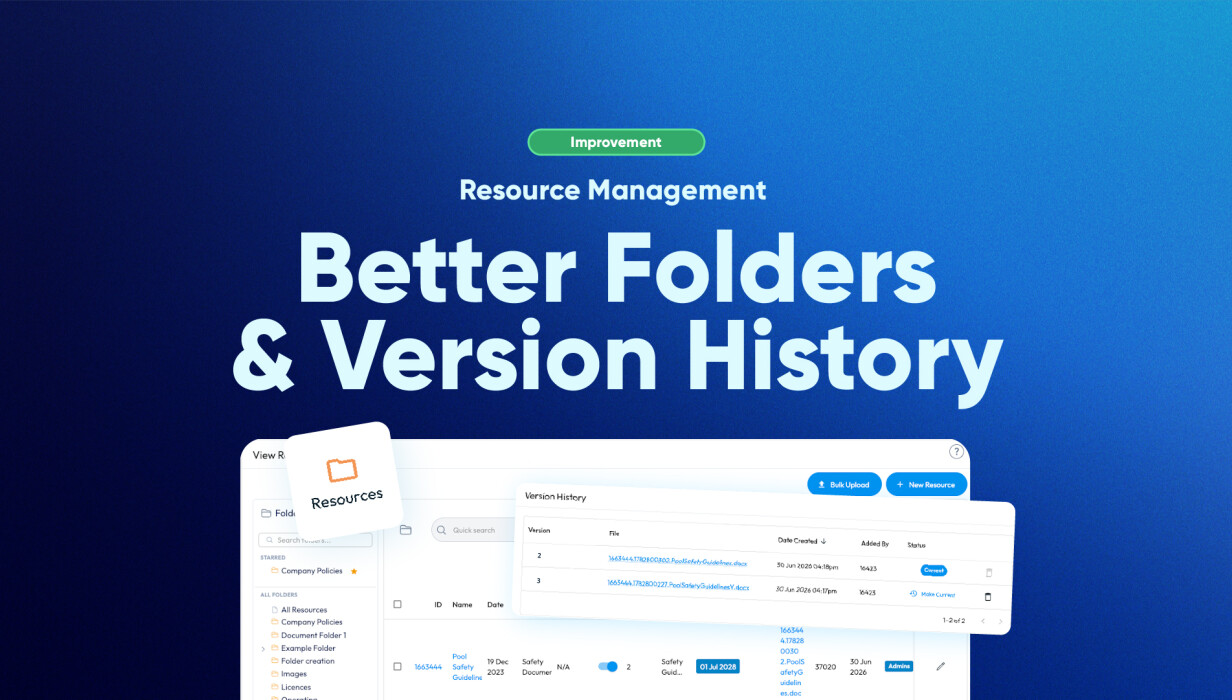
Your Resource Folders are now displayed in the left-hand navigation, making it much quicker to move between folders.
You can also star your favourite folders, allowing frequently used resources to remain close at hand.
Documents can continue to be organised using folders and sub-folders, making it easy to structure your document library in a way that suits your business.
Improved Version History
Version History has also been improved, making previous versions easier to review and restore whenever required.
You can continue to:
-
Replace existing documents.
-
Maintain a complete history of every update.
-
Restore previous versions if required.
-
Ensure your team always accesses the latest approved document.
Administrators retain full visibility over document changes while field users continue working from the current version.
Why These Improvements Matter
Managing documentation shouldn't be difficult.
Whether you're maintaining procedures, Safe Work Method Statements, certificates, pricing information or internal policies, these improvements help reduce the time spent organising documents while providing greater confidence that everyone is working from the correct information.
Instead of searching through folders or wondering whether a file is current, your team can quickly locate the documents they need.
Supporting Real Business Workflows
Every business manages documents differently, but the goal is always the same: make information easy to find and easy to trust.
These improvements are particularly valuable for:
Safety & Compliance
Maintain current safety documentation while retaining historical versions for auditing and reference.
Operations Teams
Organise procedures, work instructions and internal documentation into logical folder structures.
Field Staff
Access the latest approved resources from the mobile app without worrying about outdated files.
Client Resources
Publish selected documents through the Client Portal while maintaining control over what clients can access.
Built for Growing Businesses
As document libraries expand, organisation becomes increasingly important.
Improved folder navigation and enhanced version history make it easier to:
-
Keep resources organised.
-
Find frequently used documents quickly.
-
Manage document updates confidently.
-
Restore previous versions when needed.
-
Reduce duplicate files and outdated documentation.
These enhancements help streamline document management without changing the way your existing Resources work.
Frequently Asked Questions
Are Resource Folders new?
No.
Resource Folders have been available for some time. This update improves how they're displayed by introducing a dedicated folder navigation panel and the ability to star frequently used folders.
Is Version History new?
No.
Version History already existed, however it has been enhanced to make previous versions easier to review and restore.
How many folder levels can I create?
Folders support two levels of organisation:
Folder → Sub-folder → Documents
Can mobile users access previous document versions?
No.
Mobile users always access the latest approved version. Previous versions remain available to administrators within the web portal.
Can I apply permissions to folders?
Permissions continue to be managed per document rather than per folder, providing greater flexibility over who can access individual resources.
What happens when I replace a document?
Replacing a document automatically creates a new version while preserving all previous versions in the document history.
Administrators can restore an earlier version whenever required.
Can mobile users upload documents?
No.
Resource management continues to be completed through the web portal. Mobile users can view, download, print and email available resources.
Conclusion
The latest improvements to Resource Folders and Version History make document management faster, clearer and more intuitive.
With easier navigation, favourite folders and enhanced version visibility, managing business documentation has never been simpler, while continuing to provide your team with confidence that they're always accessing the latest approved information.
 Back to Smart Business Hub