Introduction
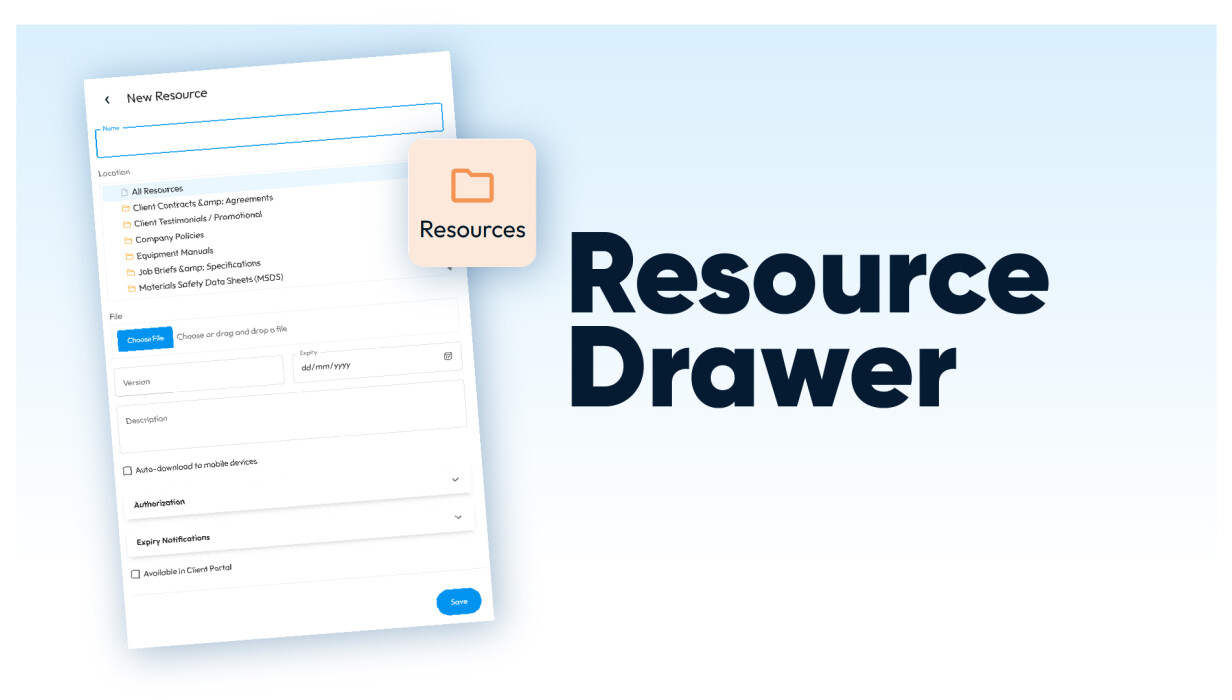
The Resource Drawer lets you add and edit files without navigating away. You stay on the page, do the thing, move on.
It's a small change that makes a real difference if you're in documents all day. Fewer steps means you're more likely to actually keep files updated, instead of putting it off because it feels like a separate task.
What’s New: Resource Drawer
The Resource Drawer introduces a consistent, side-panel experience for creating and editing resources across the platform.
-
Add new resources directly from the page you’re working on
-
Edit existing resources anywhere an edit option is available
-
Stay in context with a slide-out drawer instead of navigating away
-
Avoid full page reloads when making updates
-
Move quickly between multiple resource updates
How This Solves a Common Problem
Most people working with documents hit the same wall: updating something means stopping, navigating somewhere else, and finding your way back. Do that a few times in a session and it starts to feel like the admin is running you.
The Resource Drawer fixes that. Updates happen on the page you're already on, so keeping files current stops being a detour and just becomes part of the work.
How Customers Use This in Practice
The Resource Drawer fits seamlessly into everyday tasks, especially for administrative and operational users.
Here are a few common ways it’s used:
-
Updating documents while managing customers: Make quick changes to resources without leaving the customer record
-
Uploading files during job setup: Add required documents while creating or editing jobs
-
Maintaining compliance materials: Update policies, certificates, or safety documents on the spot
-
Batch updating resources: Move through multiple edits quickly without repeated navigation
This approach supports a more fluid way of working—where updates happen in the moment, not later.
Why This Matters for Growing Teams
As teams grow, so does the volume of resources that need to be managed. Small inefficiencies—like switching pages or reloading screens—can quickly add up.
The Resource Drawer helps teams:
-
Work more efficiently by reducing unnecessary steps
-
Stay consistent by making updates easier to complete
-
Maintain accuracy by removing barriers to keeping resources current
-
Support scalable workflows without added complexity
For businesses relying on resource management software, small improvements like this can have a big impact on day-to-day productivity.
Frequently Asked Questions
What is the Resource Drawer?
It’s a new way to add and edit resources using a side panel, so you don’t need to leave your current page.
Can I still access all the same features?
Yes. This update changes how you access resource management, not what you can do.
Where can I use the Resource Drawer?
Anywhere resources can be created or edited, the drawer will now appear as the standard interface.
Do I need to enable anything to use it?
No setup is required. The updated experience is already available.
Will this change my existing resources?
No. All existing resources remain unchanged and fully accessible.
Conclusion
The Resource Drawer keeps you on the page and moving. Fewer detours, less context-switching, more time on the work that actually matters
 Back to Smart Business Hub